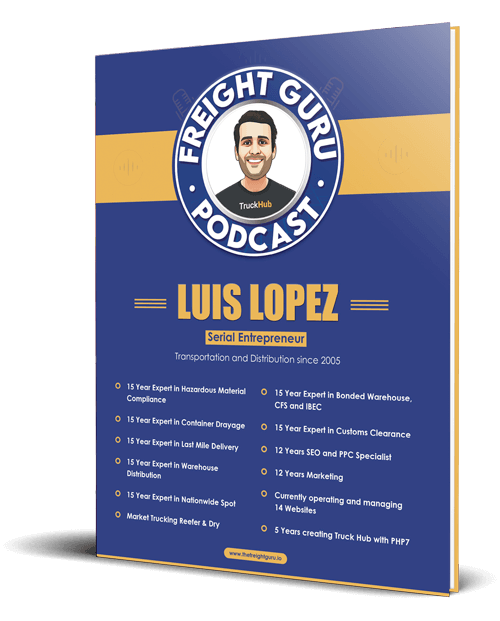
By Luis Lopez, AI transportation consultant, CEO of Go Hub.io Holdings Corp and subsidiaries, and host of the Freight Guru Podcast
Labor is the largest controllable cost in most warehouses, and it is usually planned with a spreadsheet, last week’s numbers and a supervisor’s instinct. Sometimes that works. Often it produces a morning shift standing around waiting for trucks and an afternoon shift running overtime to clear the dock.
AI labor planning does not replace the supervisor’s judgment. It gives that judgment a better starting point. As an AI transportation consultant, I describe it to warehouse operators as two forecasts stacked on top of each other: how much work is coming, and how many labor hours that work will take. Get both roughly right and the headcount question mostly answers itself.
Why Guesswork Persists
Warehouse volume is uneven in ways that are hard to hold in your head. Inbound depends on carrier arrivals that slip. Outbound depends on customer order patterns that shift by day of week, time of month and season. A third-party warehouse with many accounts has all of those patterns layered together, each with different handling requirements.
Step One: Forecast the Work
The first model predicts volume by activity and by time block. Not “pallets tomorrow” but something closer to “inbound pallets to receive between six and ten in the morning” and “order lines to pick between noon and four.”
Useful inputs include:
- Order history from the warehouse management system, with timestamps for when orders dropped and when they shipped
- Inbound appointments and advance ship notices, which tell you what is scheduled before it arrives
- Carrier arrival patterns, including how early or late specific carriers tend to run against their appointments
- Calendar effects such as day of week, month end, holidays and each customer’s promotional or seasonal cycle
- Customer-provided forecasts, when a customer shares them, weighted by how accurate they have been in the past
Machine learning models are well suited to this because they can pick up overlapping patterns that a spreadsheet trend line misses, such as an account that always spikes on the first Monday after a holiday. Appointment data is especially valuable, and the scheduling side is covered in AI dock scheduling and yard management.
Step Two: Convert Work Into Labor Hours
A volume forecast is not a staffing plan until you know how long the work takes. This is where many projects stall, because the warehouse has never measured its own rates carefully.
You need a realistic productivity rate for each task: receiving, putaway, replenishment, picking, packing, loading, and any value-added work such as labeling or kitting. And one rate per task is not enough. The time to pick an order depends on:
- Unit of measure: each, case or full pallet
- Lines per order and how far apart the pick locations are
- Product characteristics such as weight, size and whether it needs special handling
- Equipment required and whether enough of it is available
- The experience level of the person doing the work
AI helps here by learning rates from your own transaction history instead of relying on a single engineered standard. If the system has scan timestamps for task start and finish, a model can estimate how long a given order profile actually takes in your building, with your layout, on your equipment. Those learned rates are usually more honest than the ones written in a customer proposal.
Step Three: Turn Hours Into Headcount by Shift
Dividing forecast hours by shift length gives a raw number. A workable plan adjusts it for reality.
- Subtract non-productive time. Breaks, meetings, equipment checks, travel between zones and battery changes all reduce the hours a person spends on task.
- Add an absence allowance. Use your own attendance history by day of week. Mondays and the day after a holiday rarely look like a Wednesday.
- Check skills and certifications. Ten available people do not help if only two are trained on the reach truck and the forecast calls for heavy putaway.
- Respect the constraints. Dock doors, equipment counts and conveyor capacity cap how many people can be productive at once. Adding bodies past that point adds cost, not output.
- Split by time block. Stagger start times or move people between functions so coverage follows the forecast peaks instead of a flat schedule.
The output should be something a supervisor can read in a minute: people needed by function, by block, with the gap against who is currently scheduled.
Forecast in Ranges, Not Single Numbers
The most useful change AI brings is a range. A good model does not say “you need eighteen people.” It gives a likely case along with a low and a high case. That lets you plan a core crew for the low end and cover the rest with flexible options.
Flexible capacity usually comes from a few places:
- Cross-trained staff who can shift from one function to another mid-shift
- Voluntary overtime offered in advance instead of mandated at the last minute
- Part-time or on-call workers
- Temporary labor, requested with enough lead time to get people who have worked in the building before
Planning this way is especially important ahead of seasonal surges. I cover the broader preparation in the peak season freight planning guide.
Data You Need Before You Start
No model will fix missing or unreliable inputs. Before buying anything, check whether you have:
- At least a full seasonal cycle of order and receipt history with accurate timestamps
- Task-level transaction records that show who did what and when
- Time and attendance data that can be matched to those transactions
- Consistent item data, including dimensions, weights and units of measure
- Appointment records that reflect what actually arrived, not just what was booked
If workers batch their scans at the end of a task or share logins, the productivity data will be wrong and the forecast built on it will be wrong too. Cleaning that up comes first. The same principle applies across freight systems, as I explain in the top data fields to clean before buying AI.
Keep It Fair to the Workforce
Labor models can be used to squeeze schedules in ways that hurt the people doing the work: last-minute shift changes, sent-home-early patterns, or individual rate targets copied from the fastest picker in the building. That approach raises turnover, and new hires are slower and make more errors, which pushes cost right back up.
Use the forecast to give people more predictable schedules, not less. Post schedules further ahead because you can see further ahead. Use learned rates to set reasonable expectations and to spot where training or layout is the real issue. Scheduling practices are also subject to labor rules that vary by location, so review any automated scheduling approach with your HR and legal advisors before rolling it out.
How to Start Small
You do not need a full labor management suite to begin. Pick one function, usually picking or receiving, and one building. Build a time-block volume forecast, apply measured rates, and compare the suggested headcount to what the supervisor would have scheduled. Run both side by side for several weeks and track which was closer. When the forecast earns the supervisor’s trust on one function, extend it to the next. For a wider view of where this fits, see the top uses of AI in warehousing and 3PL operations.
For more plain-language guidance on warehousing, trucking and AI, subscribe to the Freight Guru Podcast.
About the author: Luis Lopez is a Miami-based AI transportation consultant and logistics entrepreneur, the CEO of Go Hub.io Holdings Corp and subsidiaries, and host of the Freight Guru Podcast.