By Luis Lopez, AI transportation consultant, CEO of Go Hub.io Holdings Corp and subsidiaries, and host of the Freight Guru Podcast
Most freight billing errors are not fraud and they are not complicated. Someone keyed the linehaul wrong. A detention charge was approved on the phone but never added to the paperwork. A fuel surcharge was calculated on the wrong base. The load got re-rated after a TONU or a re-delivery and the invoice went out at the original number. Each mistake is small, but together they leak margin, delay payment, and damage trust with customers and carriers.
The fix is simple to describe: before an invoice goes out, compare it line by line against the rate confirmation and the delivery documents. The problem is that humans doing this at volume get tired, skip steps, and trust whatever the screen shows. This is one of the most practical places to put AI to work in a freight back office.
What rate confirmation matching actually means
A rate confirmation is the agreement for a specific load: who is hauling it, from where to where, when, and for how much, including any agreed accessorials. Matching means checking that three or more records tell the same story:
- The rate confirmation (and any amended versions)
- The bill of lading and proof of delivery
- The carrier invoice, if you are paying one
- The customer invoice you are about to send
- The load record in your TMS, including stop times and notes
When those agree, the invoice is clean. When they do not, someone needs to look before money moves. Traditional freight audit does this after the fact. AI-assisted matching moves the check to the moment before the invoice is sent, which is when an error is cheapest to fix.
Where AI fits in the workflow
There are really two jobs here, and they use different kinds of tools.
Job one: reading the documents
Rate confirmations arrive as PDFs, scanned images, email bodies, and broker portal printouts. Every sender uses a different layout. Document-extraction models pull out the fields that matter: load number, reference numbers, origin and destination, pickup and delivery dates, linehaul, fuel, each accessorial, and the total. Good extraction tools return a confidence score for each field, so low-confidence reads can be routed to a person instead of being trusted blindly.
Job two: comparing and explaining
Once the data is structured, comparison is mostly rules: does the linehaul on the invoice equal the linehaul on the latest rate confirmation? Does the total add up? Is every accessorial on the invoice supported by an approval or a document? AI helps on the fuzzy parts, such as recognizing that “Det.” and “Detention – consignee” are the same charge, or reading a dispatcher’s free-text note that says the customer approved two hours of wait time.
As an AI transportation consultant, the first thing I look at is whether a team has separated these two jobs. Teams that ask one general-purpose model to “check this invoice” tend to get confident answers that are sometimes wrong. Teams that extract first, then compare with explicit rules, then use AI only to explain or classify the exceptions get results they can trust and audit.
The errors worth catching
Start with the mismatches that cost real money or cause disputes:
- Linehaul mismatch. The invoice rate differs from the most recent rate confirmation.
- Superseded rate confirmation. A revised confirmation was issued, but the invoice used the original.
- Missing accessorials. Detention, layover, lumper, or extra stops happened and were approved, but never billed.
- Unsupported accessorials. A charge appears on the invoice with no approval, receipt, or timestamp behind it. These are the ones customers short-pay.
- Fuel surcharge errors. Wrong table, wrong week, or applied to the wrong base amount.
- Reference number gaps. The customer’s PO or load number is missing or mistyped, which can stall payment even when the amount is correct.
- Duplicate billing. The same load invoiced twice, often after a re-delivery or a split shipment.
- Date and stop inconsistencies. The invoice shows a delivery date that does not match the POD.
For a detailed breakdown of how accessorials should be documented, the guide on truckload accessorial charges is a good companion to this article.
How to design the check
Define a single source of truth for each field
Decide which document wins for each data point. Usually the latest signed rate confirmation wins for price, the POD wins for delivery date and exceptions, and timestamped telematics or dock records win for wait time. If you do not decide this up front, the AI will not decide it for you in a consistent way.
Set tolerances, not just pass or fail
Some differences do not matter, such as rounding on a fuel calculation. Others always matter, such as a linehaul difference of any size. Set a tolerance per field so that the system flags what deserves attention and stays quiet about the rest. Too many false alarms and your billing team will start ignoring the flags.
Hold, do not auto-correct
The safest design is that a mismatch puts the invoice on hold with a plain-language reason, such as “Invoice linehaul differs from rate confirmation version 2,” and a person decides. Letting software silently change billed amounts is how small errors become disputes you cannot explain later.
Keep the evidence attached
When an invoice passes, attach the matched documents to it. When a customer questions a charge weeks later, the rate confirmation, the approval email, and the POD are already sitting with the invoice. That alone shortens disputes.
What to look for in tools
Without naming vendors, here are the capabilities that separate useful tools from demos:
- Field-level confidence scores on every extracted value
- Handling of amended and superseded rate confirmations, not just the first one received
- Configurable matching rules and tolerances that your team can read and change
- An exception queue with clear reasons, not just a red flag
- An audit trail showing who approved an override and why
- Integration with your TMS and accounting system so data is not re-keyed
The article on AI in freight back-office billing and collections covers how this matching step connects to the rest of the order-to-cash process.
Common mistakes when rolling this out
- Skipping data cleanup. If customer reference requirements and accessorial codes are inconsistent in your system, matching will flag everything.
- Treating extraction as perfect. Scanned documents, handwriting on PODs, and unusual layouts will produce misreads. Low-confidence fields need human eyes.
- No owner for exceptions. A queue of held invoices that nobody works is worse than no check at all, because it delays cash.
- Measuring only speed. Track how many errors were caught before sending, how many short-pays and disputes you receive, and how long invoices sit on hold.
Where to start
Pick one customer or one lane type with steady volume. Run matching in shadow mode for a few weeks: let the system flag issues while your team bills normally, then compare what it caught against what your people caught. Tune the rules and tolerances, then turn on holds. Expand once the exception queue is manageable and the flags are mostly real.
Rate confirmation matching is not glamorous, but it is a clear, measurable use of AI. It protects margin, speeds up payment, and gives you documentation when a charge is questioned. For the broader audit picture, see freight audit and payment explained.
For more conversations on freight and AI, subscribe to the Freight Guru Podcast.
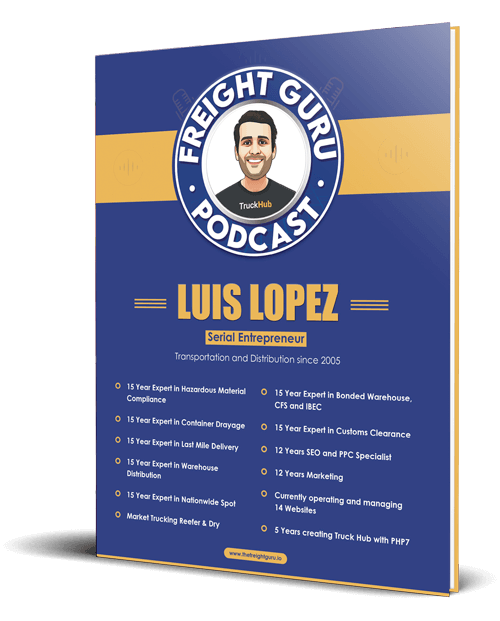
About the author: Luis Lopez is a Miami-based AI transportation consultant and logistics entrepreneur, the CEO of Go Hub.io Holdings Corp and subsidiaries, and host of the Freight Guru Podcast.