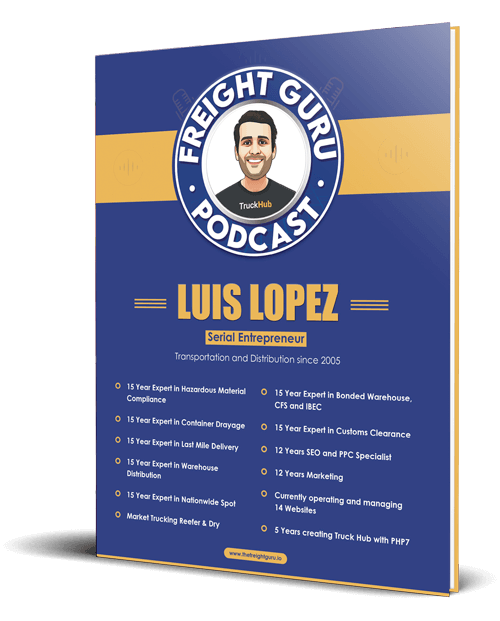
By Luis Lopez, AI transportation consultant, CEO of Go Hub.io Holdings Corp and subsidiaries, and host of the Freight Guru Podcast
Most people in freight who say an AI assistant “doesn’t work” typed one line into it, got a generic answer and gave up. The tool was not the problem. The request was. An assistant knows a great deal about language and very little about your lanes, your customers or the way your office does things. A prompt is how you close that gap.
As an AI transportation consultant, I treat prompt writing as an operations skill, not a technical one. It is the same skill you use when you hand a task to a new coordinator on their first day. If you would not give that person a one-line instruction and walk away, do not do it to the assistant either.
Why Vague Prompts Fail in Freight
Freight work is full of unstated context. “Send the customer an update” means something different for a hot expedite than for a routine weekly lane. “Check this rate con” assumes you know which accessorials your company accepts. Experienced staff fill in those blanks automatically. An assistant fills them in with averages, which is why the output reads like it was written for nobody in particular.
The fix is to put the context on the page. Every good prompt I see from freight teams has the same five parts.
The Five Parts of a Useful Prompt
- Role. Tell the assistant whose seat it is sitting in. “You are helping a drayage dispatcher” produces different work than “you are helping an accounts receivable clerk.”
- Task. State one specific job with a clear finish line. Summarize, draft, compare, extract, list, check.
- Context. Paste the actual material: the email thread, the tracking notes, the rate confirmation text, the appointment times. Do not describe it from memory.
- Constraints. Say what the assistant must and must not do. Length, tone, what to leave out, what it should never guess at.
- Output format. Describe what you want back: a short email, a numbered list, three bullets, a set of labeled fields you can copy into your system.
You do not need to write this as a formal template every time. Three or four sentences that cover those five points will beat a one-liner on almost any task.
A Before and After
Here is a typical weak prompt:
Write an email telling the customer their load is late.
Here is the same request written properly:
You are helping a truckload customer service rep. Draft a short email to a shipper’s logistics coordinator explaining that their delivery will miss its appointment. Use only the facts in the notes I paste below. State the new estimated arrival, the cause in one plain sentence, and what we are doing about the appointment. Do not apologize more than once, do not speculate about anything not in the notes, and keep it under 120 words. If the notes do not contain a new arrival time, tell me that instead of inventing one.
The second version takes thirty more seconds to type. It produces an email you can send with a light edit instead of one you have to rewrite.
Prompts That Work by Role
Dispatch
Assistants are strong at turning messy inputs into clean summaries. Paste a day’s driver messages and ask for a list of loads with open issues, sorted by appointment time. Paste a long broker thread and ask for the pickup number, delivery window and any special instructions in a fixed layout. More ideas along these lines are in the top ways dispatchers use AI assistants.
Brokerage and sales
Ask for a first-draft reply to an inbound quote request that lists the missing details you need before pricing. Ask for a call summary with action items. Ask the assistant to compare two versions of a customer’s routing guide and list what changed. Do not ask it what a lane should cost unless it is connected to your own rate history; a general assistant has no reliable view of the market.
Billing and back office
Paste the rate confirmation and the invoice draft and ask the assistant to list any line that appears on one and not the other. Ask for a polite second-notice collections email that references the invoice number and due date you supply. Ask it to rewrite a dispute response so it is factual and short.
Guardrails Every Freight Prompt Should Include
An assistant will produce a confident answer whether or not it has the facts. In freight, a made-up pickup number or a guessed regulation causes real trouble. Build the guardrails into the prompt itself.
- Tell it to say when it does not know. Add a line such as “If the information is not in what I pasted, say so. Do not guess.”
- Restrict it to your source material. “Use only the documents below” cuts invented details sharply.
- Ask it to show where each fact came from. For extraction tasks, have it quote the line from the document next to each field so you can verify quickly.
- Keep it away from decisions that need a licensed or accountable person. Hazmat classification, hours-of-service determinations, customs questions and claims positions can be drafted or organized by an assistant, but a qualified person makes the call.
- Check every number. Dates, weights, reference numbers and amounts are where errors hide.
For a fuller treatment of how these errors show up and how to catch them, see AI hallucinations in freight and how to catch them.
Mind What You Paste
Before anyone on your team pastes customer data into an assistant, know which tool they are using and what its terms say about data retention and training. A consumer chat tool under a personal login is not the same as a business account your company controls. Set a simple written rule: which tools are approved, and which kinds of information never go in. Driver personal details, banking information and anything a customer contract marks confidential belong on the do-not-paste list unless your agreements clearly allow it.
Iterate Instead of Starting Over
The first answer is a draft. Treat the exchange as a conversation.
- “Shorter, and lead with the new delivery time.”
- “Too formal. Write it the way a dispatcher would text a driver.”
- “You missed the second stop. Redo the list with both stops.”
- “What information would you need to make this more accurate?”
That last question is underused. Asking the assistant what it is missing often reveals the gap in your own prompt.
Build a Shared Prompt Library
Once someone on the team writes a prompt that works, save it. A shared document with ten or fifteen tested prompts, organized by task, does more for adoption than any training session. Each entry should include the prompt text, a note on what to paste in, and a reminder of what to verify before using the output.
Review the library every few months. Drop the prompts nobody uses and refine the ones that produce the most edits. If incoming email volume is your biggest pain point, pair the library with the approach in AI email triage for freight operations.
For more practical takes on AI and freight operations, subscribe to the Freight Guru Podcast.
About the author: Luis Lopez is a Miami-based AI transportation consultant and logistics entrepreneur, the CEO of Go Hub.io Holdings Corp and subsidiaries, and host of the Freight Guru Podcast.