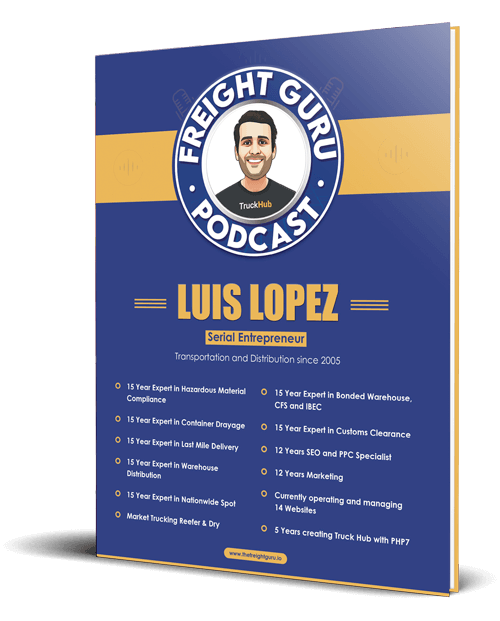
By Luis Lopez, AI transportation consultant, CEO of Go Hub.io Holdings Corp and subsidiaries, and host of the Freight Guru Podcast
Onboarding a new shipper is where a lot of freight relationships quietly start badly. The sales team closes the account, the customer wants to tender a load tomorrow, and the back office is still chasing a credit application, a tax form, billing contacts, and a list of delivery requirements nobody wrote down. The first load moves with missing information, and the first invoice goes to the wrong person.
AI shipper onboarding tools will not fix a broken process, but they can take a lot of the typing, chasing, and cross-checking off your team’s plate. As an AI transportation consultant, the first thing I look at is where onboarding data gets re-keyed by hand, because that is usually where errors and delays live. Here are ten practical places AI can help, and where a person still needs to sign off.
1. Credit Application Intake
Credit applications arrive as PDFs, scanned forms, web forms, and sometimes photos. An AI extraction tool can read the legal entity name, address, trade references, bank reference details, and requested terms, then populate your credit review record. The value is speed and consistency: every application lands in the same structure.
Human review: the credit decision itself stays with a person. AI can summarize, but someone accountable should approve terms and limits. For more on that side, see how AI helps brokers assess shipper credit risk.
2. Document Collection and Chasing
Most onboarding delays come from waiting on documents. An AI assistant can track what has been received, what is missing, and draft polite follow-up emails on a schedule. It can also recognize when a customer replies with the wrong file, such as last year’s form or an unsigned page, and flag it instead of marking the item complete.
Keep the follow-up drafts reviewable at first. Once you trust the wording and timing, you can let routine reminders go out with lighter oversight.
3. W-9 and Tax Form Checks
A tax form looks simple until the name on the form does not match the name on the credit application or the billing address. AI can compare fields across documents and flag mismatches: a different legal name, a missing signature, a blank classification box, or a form that looks outdated.
Human review: AI should flag, not decide. A mismatch may be a legitimate parent and subsidiary arrangement or a doing-business-as name. Someone should confirm with the customer before the account is set up.
4. Certificate of Insurance Review
Some shipper relationships require insurance documentation in both directions, and warehouse or value-added service accounts often do. An AI document tool can extract named insured, policy types, limits, effective and expiration dates, and certificate holder details, then compare them against your requirements checklist.
It can also set reminders before expiration. What it cannot do is interpret whether a policy actually covers a specific risk. That question belongs with your insurance agent.
5. Lane and Shipping Profile Capture
Good onboarding captures how the customer actually ships: origins, destinations, typical weights and pallet counts, equipment needs, frequency, and seasonality. Customers often send this as a messy spreadsheet export or a long email. AI can turn that into a structured lane profile your pricing and operations teams can use.
Ask the AI to list what it could not determine, not just what it found. A lane profile with clearly marked gaps is more useful than one that quietly fills in guesses.
6. Facility and Delivery Requirements
Appointment rules, dock hours, liftgate needs, lumper practices, labeling requirements, and receiver contacts are the details that cause failed deliveries and accessorial disputes. AI can pull these from customer emails, routing guides, and past correspondence and store them as structured facility notes.
Human review: routing guides change, and AI can misread a requirement that applies only to one location or one season. Have operations confirm the notes for each active facility before the first loads move.
7. Rate Setup and Accessorial Schedules
Once rates are agreed, they need to land correctly in your system: lane rates, minimums, fuel surcharge method, and accessorial schedule. AI can read the signed rate agreement and pre-fill the rate records, then compare them line by line against the source document.
This is a high-stakes step. A wrong rate loaded on day one can produce weeks of bad invoices. Use AI to prepare and cross-check, and have a second person approve before rates go live.
8. Billing and Invoicing Preferences
Where should invoices go? Does the customer need a PO number, a specific reference on every invoice, a portal upload, or proof of delivery attached? AI can extract these instructions from onboarding emails and forms and build a billing profile, so the first invoice does not bounce back.
Billing preferences are worth a direct confirmation call or email. Getting them right at the start avoids collections problems later.
9. Customer Portal and Contact Setup
Setting up portal users, notification contacts, and role permissions is repetitive work. AI can read the customer’s contact list, suggest which people need tracking updates, which need invoices, and which need exception alerts, and prepare the setup for an administrator to approve.
Human review: access permissions are a security decision. Do not let an automated tool grant portal access or change user roles without a person approving it, and verify new contacts through a known channel to reduce fraud risk.
10. Onboarding Status Tracking and Handoff
Finally, AI can keep an onboarding checklist current across sales, credit, operations, and billing, and produce a short handoff summary when the account is ready to ship. That summary should list what was verified, by whom, and what remains open.
This mirrors what good carrier onboarding already does on the other side of the relationship. If you have built a carrier onboarding packet checklist, the same discipline applies to shippers.
Where AI Shipper Onboarding Goes Wrong
The common failures are predictable:
- Extraction errors treated as facts. AI can misread a scanned form or invent a value that looks plausible. Learn the warning signs in how to catch AI hallucinations in freight.
- No source link. Every extracted field should point back to the document it came from, so a reviewer can check it quickly.
- Automating approvals. Credit limits, rate loading, and portal access should have a named human approver.
- Sensitive data handling. Tax and banking information should only go into tools your company has approved for that kind of data.
If your documents are the bottleneck, the broader picture in how AI is changing freight document processing is a useful companion read.
Getting Started
Pick one step, usually document collection or credit application intake, and measure how long it takes today. Add AI to that step, keep a person reviewing every output for the first stretch, and track errors as carefully as time saved. When the error rate is acceptable, move to the next step. Onboarding done this way gets faster without trading accuracy for speed.
For more conversations on freight and AI, subscribe to the Freight Guru Podcast.
About the author: Luis Lopez is a Miami-based AI transportation consultant and logistics entrepreneur, the CEO of Go Hub.io Holdings Corp and subsidiaries, and host of the Freight Guru Podcast.