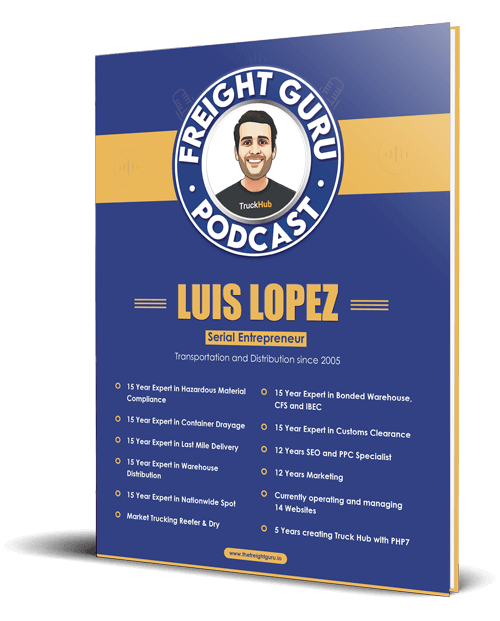
By Luis Lopez, AI transportation consultant, CEO of Go Hub.io Holdings Corp and subsidiaries, and host of the Freight Guru Podcast
A missed delivery appointment rarely starts at the dock. It starts hours earlier, when a truck leaves a shipper late, hits traffic, or a driver runs short on available hours. By the time the receiver notices the empty door, the slot is gone, the next open appointment may be a day or more away, and everyone is on the phone trying to figure out who caused what.
AI appointment rescheduling aims to move that conversation earlier. Instead of reacting to a miss, the system predicts it, rebooks a realistic slot, and tells the right people before the original window closes. Done well, it protects receiver relationships, reduces wasted driver time and cuts down on accessorial disputes.
Predicting the Miss Early
As an AI transportation consultant, the first thing I look at is how early a team actually knows a load will be late. In many operations, the honest answer is “when the driver calls.” That is too late to rebook gracefully.
An AI rescheduling workflow starts with a prediction. It combines several signals:
- Live tracking. Current location, speed and heading compared against the remaining distance to the consignee.
- Hours of service. Under 49 CFR Part 395, a property-carrying driver can drive up to 11 hours within a 14-hour window after 10 consecutive hours off duty, and must take a 30-minute break after 8 cumulative hours of driving. If the driver’s remaining hours cannot cover the remaining miles plus the required break, the appointment is at risk regardless of how fast the truck is moving.
- Historical lane behavior. Typical transit, typical congestion points and typical dwell at the pickup facility.
- Receiver rules. Grace periods, whether late arrivals are worked in or turned away, and receiving hours.
The output should not be a single estimated arrival time. It should be a probability that the load misses its window, updated as new tracking pings arrive. For more on how these estimates are built, see predictive ETA and freight visibility, and for the regulatory background, hours of service explained for shippers.
Setting the Trigger Point
Prediction only helps if it triggers action at the right time. Teams should agree on a threshold, for example when the miss probability crosses a set level and enough time remains to secure a new slot. Trigger too early and you will cancel appointments that would have been made. Trigger too late and the good slots are gone.
A sensible approach is to start conservative, have a human review every suggested reschedule for a few weeks, and adjust the threshold based on how often the prediction was right.
Rebooking Through Portals and Email
Receivers schedule appointments in different ways. Some use dock scheduling portals, some use email, and some still require a phone call. An AI rescheduling assistant can handle the first two and prepare the third.
Portal Rebooking
Where a receiver uses a scheduling portal, an automation can log in with approved credentials, check open slots, and select the earliest realistic one based on the new ETA plus a buffer. It should capture the new confirmation number and attach it to the load record.
Email Rebooking
For receivers who schedule by email, AI can draft a clear request that includes the reference numbers, the original appointment, the reason for the change, and two or three proposed windows. When the reply arrives, the system can read it, extract the confirmed time and update the load. Our article on AI email triage in freight operations covers how these replies get sorted and routed.
Phone-Only Receivers
For receivers that only take calls, the assistant can prepare a call script with all the details and set a task for a team member. Not every step should be automated.
Notifying the Receiver and the Shipper
Rescheduling is half the job. The other half is communication. A good workflow notifies:
- The receiver, so dock labor and door assignments can be adjusted
- The shipper or customer, with the reason, the new appointment and any downstream impact
- The carrier and driver, with the updated appointment and any new instructions
- Internal account and billing teams, so potential accessorials such as layover or detention are documented from the start
Messages should be factual and short. Avoid blaming language in automated notices. The cause can be documented internally and discussed separately if needed.
Guardrails: Who Approves and How Often
Automatic rebooking is powerful, which is why it needs rules. Before turning anything on, decide:
- Who approves a reschedule. Many teams let the system rebook automatically within the same day but require human approval for any move to a later day.
- How many reschedules are allowed per load. Repeated rebooking frustrates receivers. After a set number, the load should escalate to a person.
- Which customers are excluded. Some customers require that only their team changes appointments. Respect that.
- What happens to cost. If a new appointment creates layover or redelivery charges, someone must approve that cost in writing before it is incurred.
- What gets logged. Every change should record who or what made it, when, and why.
The Data You Need
AI rescheduling depends on data that many operations keep in scattered places. At minimum you need:
- Accurate appointment times and time zones for every stop
- Consignee contact details and scheduling method
- Reliable tracking feeds with frequent location updates
- Driver hours of service data where the carrier shares it
- Reference numbers the receiver uses, such as purchase order and delivery numbers
- Receiver rules for grace periods, late arrivals and receiving hours
Missing time zones and stale contact details cause more failed reschedules than any model weakness. Clean those first. If you are also working on dock-side scheduling, see AI dock scheduling and yard management.
Measuring Results
Track a small set of measures before and after rollout:
- How far in advance at-risk loads are identified
- Share of late loads rebooked before the original window closed
- Number of loads turned away at the dock
- Layover and redelivery charges per period
- Prediction accuracy: how often flagged loads actually missed, and how often unflagged loads missed anyway
- Receiver complaints related to appointment changes
Review these regularly with operations, not just with the analytics team. The people working the loads will spot problems the dashboard hides.
Limits to Keep in Mind
AI rescheduling will not fix every late load. Tracking gaps, carriers that do not share hours data, receivers with no open slots and sudden road closures all limit what any system can do. Portal automation can break when a receiver changes its website. Predictions are probabilities, not guarantees, and a few false alarms are normal.
The goal is not perfection. It is earlier, calmer, better-documented decisions, made by a system that knows when to hand the load back to a person.
For more conversations on freight and AI, subscribe to the Freight Guru Podcast.
About the author: Luis Lopez is a Miami-based AI transportation consultant and logistics entrepreneur, the CEO of Go Hub.io Holdings Corp and subsidiaries, and host of the Freight Guru Podcast.